
Getting rid of an old laptop isn’t as simple as tossing it in the trash. These devices are packed with sensitive data, rare metals, and electronic components that can harm the environment if not handled properly. Whether your laptop is outdated, broken, or just collecting dust, disposal should always be done safely, legally, and responsibly.
Improper disposal can lead to a range of problems. Personal information can fall into the wrong hands if your hard drive isn’t wiped correctly. At the same time, electronics dumped in landfills leak toxic materials like lead, mercury, and cadmium into the soil and water — causing long-term environmental damage.
The good news? You’ve got plenty of smart, eco-friendly options. From certified e-waste recycling centers and manufacturer take-back programs to donation and resale opportunities, there’s a safe and often rewarding way to say goodbye to your old laptop.
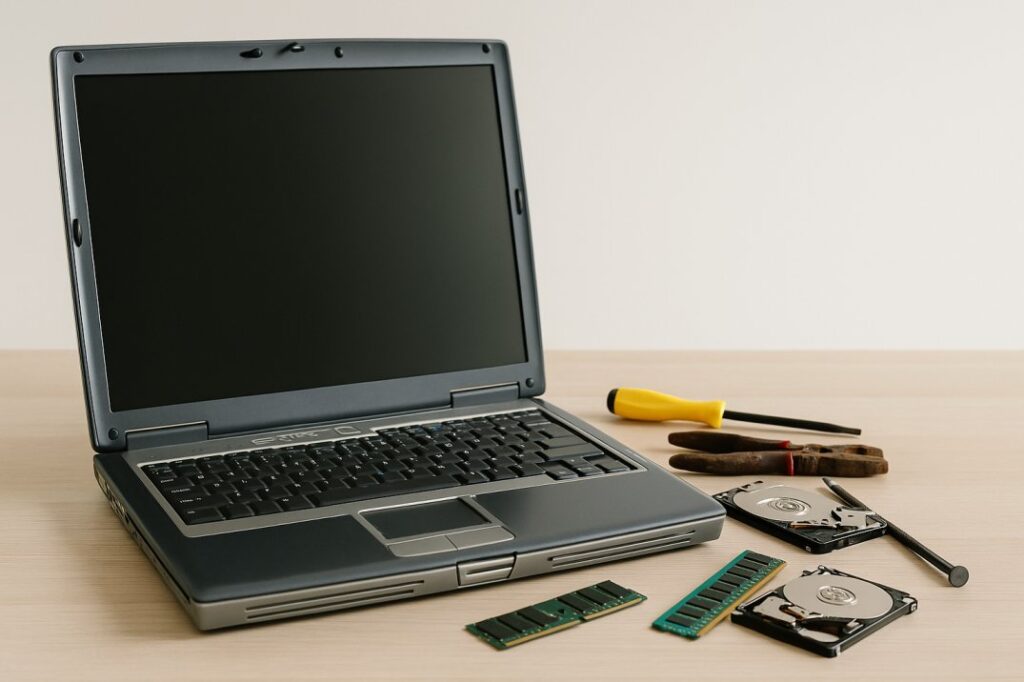
Why You Shouldn’t Throw Your Laptop in the Trash
Tossing your old laptop in the garbage might seem like the easiest option—but it’s one of the worst things you can do for the environment and your data security. Electronics like laptops are considered e-waste, and they’re packed with toxic materials that can wreak havoc on ecosystems when left in landfills.
Environmental Hazards
Laptops contain heavy metals such as lead, mercury, cadmium, and lithium. When these materials end up in landfills, they don’t just sit there—they can leach into the soil and contaminate groundwater. Over time, this contributes to pollution that affects both wildlife and human health. E-waste is one of the fastest-growing waste streams globally, and improper laptop disposal only adds to the problem.
Legal Consequences
In many places, it’s actually illegal to throw electronics in the regular trash. States like California, New York, and Washington have strict e-waste regulations and fines for improper disposal. By ignoring these rules, you could be contributing to environmental damage—and facing legal penalties in the process.
Smarter, Safer Alternatives
Instead of adding to the e-waste crisis, explore eco-friendly alternatives. You can:
- Recycle it through certified e-waste programs.
- Donate it to local nonprofits or schools.
- Sell or trade it in for cash or store credit.
Choosing any of these options helps protect the environment, supports your community, and ensures your personal data is handled securely.
What to Do Before Disposing of Your Laptop
Before you hand over, recycle, or toss your old laptop, make sure your personal data doesn’t go with it. From banking info to saved passwords, laptops hold a lot more than files—and failing to wipe them properly could leave you exposed to identity theft.
1. Back Up Important Files
Start by saving anything you want to keep. Photos, work documents, videos, passwords—move them to:
- A cloud service like Google Drive, Dropbox, or iCloud
- An external hard drive or USB stick
Backing up ensures you don’t lose irreplaceable content when the laptop is wiped or reset.
2. Sign Out and Deauthorize Accounts
To prevent unauthorized access and avoid license issues:
- Sign out of accounts (email, social media, apps)
- Deauthorize software like Microsoft Office, iTunes, or Adobe products
- Unlink your laptop from services like iCloud, Google, and Windows accounts
This helps avoid syncing issues or data leaks down the line.
3. Factory Reset or Securely Wipe Data
A basic file deletion isn’t enough—you need a full wipe to truly protect your data. Choose one of these options:
- Use Windows Reset or macOS Erase All Content and Settings
- Use tools like DBAN (Darik’s Boot and Nuke) for older Windows systems
- Enable full-disk encryption before wiping for extra protection
This ensures no sensitive info remains on the laptop after disposal.
4. Remove or Destroy the Hard Drive (Optional but Recommended)
For maximum data security, especially for business or financial data:
- Physically remove the hard drive
- Use a screwdriver to open the case, disconnect the drive, and store or destroy it
- You can smash it, drill holes, or shred it using a certified data destruction service
This step is ideal if you’re not 100% confident in digital wiping tools.
Taking these steps protects your privacy, identity, and peace of mind before the laptop moves on to its next phase.
Options for Disposing of an Old Laptop
Once your laptop is wiped and ready to go, it’s time to decide the best way to part with it—safely, responsibly, and maybe even profitably. Below are a few eco-friendly and practical options, depending on the condition of your device and your goals.
Recycle
If your laptop is broken or outdated, recycling is the best route. Tossing it in the trash isn’t just unsafe—it’s illegal in many places due to harmful components like lithium batteries and lead.
- Local E-Waste Recycling Centers
Most cities have designated drop-off locations for electronics. Check your city’s sanitation or waste management website to find one near you. - Manufacturer Take-Back Programs
Brands like Dell, HP, Apple, and Lenovo offer mail-in or drop-off options. Some even provide prepaid labels and may give you store credit. - Retail Drop-Off Programs
Big-box stores like Best Buy, Staples, and Office Depot accept old electronics, often for free. Some locations may have limits on quantity or size.
Donate
If the laptop still works, consider donating it—it can make a huge difference to someone in need.
- Where to Donate:
- Schools and after-school programs
- Shelters and domestic violence centers
- Non-profits or refugee resettlement programs
- Helpful Online Programs:
- Dell Reconnect (partnered with Goodwill)
- Computers with Causes
- PCs for People
- Responsible Donation Tips:
- Ensure the laptop boots up and holds a charge
- Clean it and install a basic OS
- Include the power cord if possible
These steps increase the chances that your donation will be accepted and reused.
Sell or Trade-In
Want to make a little cash back? If the laptop is newer or in good condition, selling or trading it in is a smart move.
- Where to Sell:
- eBay, Facebook Marketplace, Craigslist, or OfferUp are good for local or national buyers
- Use sites like Gazelle or Decluttr for a streamlined, no-hassle selling experience
- Trade-In Programs:
- Apple, Best Buy, Amazon, and other retailers offer trade-ins for credit toward future purchases
- Just input your laptop’s details online, get a quote, and ship it (or drop it off)
Where to Recycle or Drop Off an Old Laptop
When it comes to responsibly recycling your old laptop, choosing the right drop-off location is just as important as the decision to recycle itself. Certified e-waste centers ensure your device is handled according to environmental safety standards—and your data stays secure.
How to Find a Certified E-Waste Recycling Center
The first step is locating a facility that accepts laptops and follows proper recycling practices. Here’s how to find one:
- EPA’s eCycling Directory:
Visit the EPA eCycling page for a list of certified programs and partners. - Earth911:
Use Earth911.com to enter your zip code and select “Laptops” or “Electronics” as the category. It’ll show nearby facilities, store programs, and accepted items. - State & Local Programs:
Many municipalities have scheduled e-waste collection events or drop-off centers. Check your city or state’s waste management site.
What to Expect During Drop-Off
Before heading out, it’s good to know what the process typically involves:
- Proof of Residency or ID:
Some centers may require local ID to use public facilities. - Drop-Off Limits:
You may only be allowed to recycle a certain number of items per visit (especially at retail stores). - Possible Fees:
While many programs are free, some charge a small fee—especially for older or bulky devices. Always call ahead or check online for pricing details. - Packaging:
You don’t need the original box, but placing your laptop in a secure bag or container will make it easier to transport and drop off safely.
Recycling your laptop through a certified center not only ensures environmental safety—it can also offer peace of mind that your device won’t end up in a landfill or overseas dump site.
Can You Make Money from Old Laptops?
Yes, you absolutely can! Whether your laptop still powers on or has been sitting in a closet collecting dust, there’s often real value hidden inside—either as a whole device or through its individual components.
Working vs Non-Functional Laptops
If your laptop is still operational, you’ll likely get the best return by selling it as a complete device. Even older models can fetch decent prices if they run well and have no major cosmetic damage. Places like eBay, Facebook Marketplace, or Gazelle are great platforms to list working laptops.
But if your device is non-functional or outdated, don’t toss it just yet—many parts can be resold or recycled for value.
Sell the Parts Separately
Sometimes, the parts are worth more than the whole. If you’re comfortable with basic disassembly, consider removing:
- RAM modules – Often reused in similar models
- Hard drive or SSD – Can be sold or wiped and reused
- Laptop battery – In demand for refurbishing
- Display screen – Great for replacements
- Motherboard or CPU – May hold resale value depending on age
You can list these components individually on eBay, Craigslist, or tech resale forums.
Cash-Back Recycling Programs
Some recycling programs actually pay you for turning in old electronics. These include:
- Best Buy Trade-In Program
- Apple Trade-In (for MacBooks)
- Amazon Trade-In
- EcoATM kiosks in malls or stores
- Local scrap yards (for metal and circuit boards)
Always compare offers and make sure to reset/wipe the device if required.
In short, your old laptop might be more valuable than you think. Whether it’s through resale, parting out, or cash-back recycling, you can turn tech clutter into cash while still being eco-conscious.
Common Mistakes to Avoid When Disposing of an Old Laptop
Disposing of a laptop may seem straightforward, but a few common missteps can lead to data breaches, environmental harm, or even legal issues. Here’s what to avoid during the process:
1. Skipping the Data Wipe
One of the biggest mistakes is forgetting to erase your personal data. Even if the laptop seems dead or broken, the hard drive may still be accessible. Always:
- Back up important files
- Use secure wipe tools (like DBAN, built-in OS reset)
- Physically destroy or remove the hard drive for extra security
Your personal information is too valuable to leave behind.
2. Donating Broken or Unusable Laptops
While donating is generous, not all laptops are suitable for donation. Giving away a heavily damaged or non-functional device can burden charities with disposal costs. Before donating:
- Test basic functionality (power on, screen, keyboard)
- Clean the device
- Contact the organization to confirm they accept electronics
3. Choosing Non-Certified Recyclers
Not all e-waste recyclers follow environmentally responsible practices. Some may ship your laptop overseas for improper disposal. Instead, look for R2 (Responsible Recycling) or e-Stewards certified recyclers to ensure:
- Safe handling of hazardous materials
- Proper data destruction
- Responsible downstream practices
4. Throwing It in the Regular Trash
Never toss your laptop in with regular garbage. Laptops contain hazardous substances like lithium batteries, lead, and mercury, which can harm the environment and violate local e-waste laws.
Instead, explore eco-friendly alternatives like certified recycling, trade-in programs, or donation channels.
Being mindful of these pitfalls helps you protect your privacy, support sustainable practices, and make sure your old tech is put to good use—or disposed of responsibly.
Eco-Friendly Laptop Disposal Tips
Disposing of your old laptop doesn’t have to mean harming the planet. With a little effort, you can make sure your device is handled responsibly and even repurposed in creative ways. Here are some eco-friendly tips to keep in mind:
1. Choose Certified Recyclers
Not all recycling centers are created equal. Look for facilities certified under R2 (Responsible Recycling) or e-Stewards, as these follow strict guidelines for handling electronics safely. This ensures that toxic components like batteries and heavy metals don’t end up polluting soil or water.
2. Bundle Disposal Trips
If you have more than one old device—like laptops, phones, or printers—take them all in one trip. This reduces your carbon footprint and saves time. Some centers even offer special collection days for electronics, making it easier to drop off multiple items at once.
3. Consider Upcycling or Reuse
Sometimes a laptop is too old for resale but still has usable parts. For example:
- Turn the hard drive into an external storage device
- Reuse the RAM or screen in DIY tech projects
- Repurpose the battery (if safe) for small electronics experiments
These creative uses not only reduce waste but also give your old tech a new life.
Making disposal eco-friendly is about more than just recycling—it’s about reducing waste, reusing materials, and choosing responsible options. Small choices like these help protect the environment while still getting rid of your old laptop the right way.
FAQs About Laptop Disposal
When it comes to getting rid of an old laptop, people often have the same questions. Here are clear, straightforward answers to help you handle the process with confidence:
What’s the safest way to dispose of a laptop?
The safest way is to wipe your data completely and then take the laptop to a certified e-waste recycler or manufacturer take-back program. This ensures your personal information stays protected and the device is handled responsibly.
Do I need to remove the battery before recycling?
In most cases, yes. Lithium-ion batteries can be hazardous if not disposed of properly. Many recycling centers require the battery to be removed, but if you’re unsure, check with the drop-off site—they often have separate bins for batteries.
Can I destroy the hard drive with a hammer?
Technically, yes—but it’s not always the best method. Physically smashing the hard drive can damage it, but small fragments may still contain recoverable data. A safer bet is to use data-wiping software or remove the drive entirely and have it shredded by a professional.
Is donating a laptop safe?
Absolutely, as long as you wipe your data first. Many non-profits, schools, and shelters accept used laptops, but they can’t do the data removal for you. Once the laptop is clean, donation is both safe and impactful.
Where can I recycle a laptop near me?
You can search using the EPA’s eCycling directory, Earth911’s recycling search tool, or even check local electronics stores like Best Buy or Staples. Many cities also hold special e-waste collection days. Just make sure the recycler is certified (R2 or e-Stewards) for peace of mind.
Handling old laptops doesn’t have to be complicated—just remember: protect your data, remove hazardous parts, and choose responsible disposal options.
